
hop earth game
How to Play Hop.Earth: Parachute In, Summon Your Car, Drive Real Roads
Learn how to play Hop.Earth with this beginner-friendly wiki guide covering parachute drops, car summoning, driving basics, multiplayer, mobile play, and troubleshooting tips.

How to Play Hop.Earth: Parachute In, Summon Your Car, Drive Real Roads

Hop.Earth is a browser-based driving game built around exploring a virtual version of Earth. Instead of starting in a traditional fantasy world, players enter a globe based on real-world map data, choose where to land, summon a vehicle, and explore roads inspired by actual locations. This guide explains how to play Hop.Earth, including the verified basics of parachuting in, driving, exploring, multiplayer features, mobile browser play, and common fixes.
This fan-made wiki guide was verified against available public information on September 13, 2026. Hop Earth Wiki is an independent community resource and is not affiliated with the developer or the official Hop.Earth website.
What is Hop.Earth and how does the game work?
Hop.Earth is a browser game that turns real-world geography into an explorable driving environment. Players can enter the world, choose locations, descend onto the map, and use vehicles to travel across roads and landscapes generated from Earth-based data.
The core gameplay loop is simple: pick a destination, parachute into the world, summon your car, and start exploring. The experience combines elements of exploration games, driving games, and map-based discovery.
The game focuses on location-based exploration rather than a traditional level system. Players can visit different areas, experiment with routes, and discover how familiar places translate into an interactive environment.
For more beginner information, see the Hop Earth Wiki basics guide.
How do you start playing Hop.Earth?
To start playing Hop.Earth, open the game in a supported browser, enter the world, choose a location, and begin your first parachute drop. After landing, players can summon a vehicle and drive through the generated environment.
The first session is designed around learning the controls rather than completing a strict objective. New players should focus on understanding movement, vehicle handling, and navigation before attempting longer journeys.
Basic starting steps:
- Open Hop.Earth through the official website.
- Enter the playable world.
- Select an area to explore.
- Use the parachute drop to reach the surface.
- Summon your vehicle.
- Drive and explore nearby roads.
The exact interface and available features may change as the game develops, so players should check official updates for the latest mechanics.
How does the parachute drop work in Hop.Earth?
The parachute drop is the player's entry point into the world. Instead of spawning instantly at a fixed location, players choose where they want to begin and descend toward that area.
This mechanic makes exploration part of the gameplay. A player can choose a familiar city, a remote road, or an interesting landscape and then experience how that location appears inside the game world.
Tips for choosing a landing location
New players may have the best experience by selecting areas with recognizable roads and varied terrain. Cities can provide more visible road networks, while rural areas may offer longer exploration routes.
Good beginner choices often include:
- Familiar places where you can recognize roads and landmarks.
- Areas with multiple connected roads.
- Locations with interesting terrain changes.
The parachute phase is not just transportation; it is the moment where players decide what kind of adventure they want to create.
How do you summon and drive a car in Hop.Earth?
After reaching the ground, players can summon a vehicle and begin driving. Driving is the main way to explore the world, discover roads, and travel between locations.
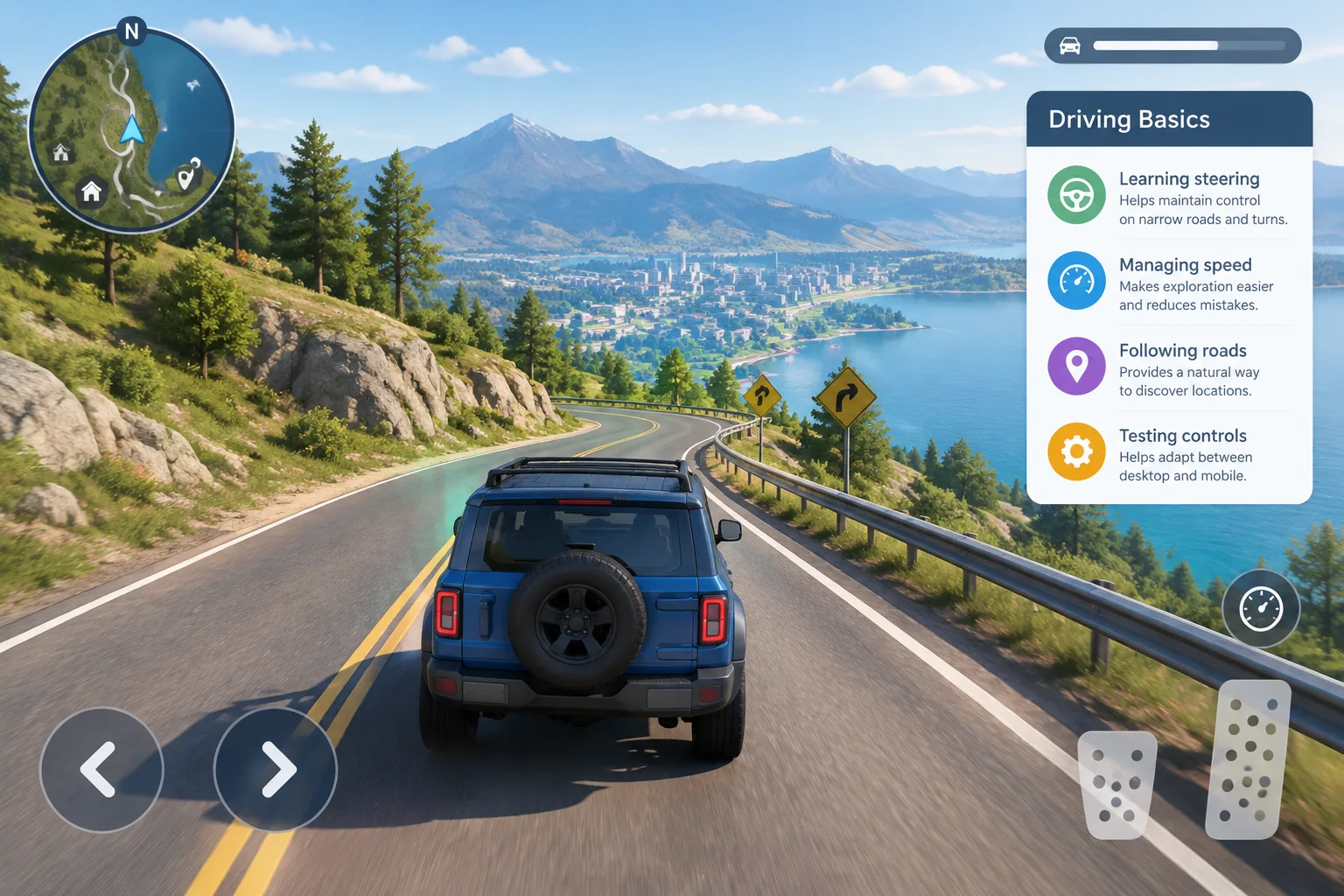
Vehicle controls and handling may vary depending on updates, browser support, and device type. Players should spend time learning acceleration, steering, and movement before attempting long-distance trips.
Hop.Earth driving basics
A few general driving principles help beginners:
| Skill | Why it matters |
|---|---|
| Learning steering | Helps maintain control on narrow roads and turns |
| Managing speed | Makes exploration easier and reduces mistakes |
| Following roads | Provides a natural way to discover locations |
| Testing controls | Helps adapt between desktop and mobile devices |
For deeper driving advice, visit the Hop Earth Wiki driving section.
What are the best Hop.Earth driving tips for beginners?
The best beginner driving strategy is to explore gradually, learn the vehicle controls, and avoid treating every journey like a race. Hop.Earth is built around discovery, so careful exploration can be more rewarding than maximum speed.
Useful beginner tips include:
Start with short routes
Short trips allow players to understand how roads, terrain, and vehicle movement work together. Longer journeys become easier after learning how the environment behaves.
Explore different types of terrain
Roads through cities, countryside, and mountainous areas can create very different experiences. Trying multiple locations helps players understand the variety of the game world.
Learn your device controls
Desktop and mobile browsers may feel different. Players using phones should test touch controls and performance before attempting longer exploration sessions.
These suggestions are community-style strategies rather than confirmed official rules. The game's mechanics can change as development continues.
Does Hop.Earth have multiplayer?
Hop.Earth includes multiplayer-focused experiences such as races and shared exploration features. Multiplayer allows players to interact with others rather than exploring entirely alone.
The available multiplayer features may change during development. Players interested in competitive experiences should check current game updates and community resources.
For more information about multiplayer topics, visit the Hop Earth Wiki multiplayer section.
What is Hop.Earth Season Zero?
Season Zero refers to an early seasonal phase of Hop.Earth development. Seasonal features in games often introduce special activities, events, or progression systems, but specific details should be confirmed through official announcements.
Players following the game's development should watch official channels for changes to seasonal content.
Can you play Hop.Earth on mobile?
Hop.Earth can be accessed through a mobile browser, although performance depends on the device, browser, connection quality, and the complexity of the area being loaded.
Mobile players can improve their experience by:
- Using a modern browser.
- Closing unnecessary background applications.
- Playing on a stable internet connection.
- Reducing other device workload before starting.
Because browser game performance varies widely across devices, results may differ between players.
Why is Hop.Earth not working?
If Hop.Earth is not working, the most common causes are browser issues, connection problems, device limitations, or temporary service changes.
Try these troubleshooting steps:
- Refresh the page.
- Check that your browser is updated.
- Test your internet connection.
- Disable browser extensions that may interfere.
- Restart the browser or device.
- Try another supported browser.
If problems continue, check official sources for known issues or updates.
How does Hop.Earth use real-world map data?
Hop.Earth is designed around a virtual Earth experience that uses geographic information to create a realistic exploration environment. Real-world mapping projects such as OpenStreetMap provide openly available geographic data used by many location-based applications.
Terrain and elevation information can also be created using geographic datasets such as those provided by public mapping and earth science organizations.
The result is a game world inspired by real places while remaining a digital interpretation rather than a perfect copy of every location.
Frequently asked questions about playing Hop.Earth
Is Hop.Earth free to play?
Hop.Earth is available through a browser-based experience. Current access options and features should be confirmed through official sources because game services can change over time.
Does Hop.Earth use real roads?
Hop.Earth is designed around real-world geography and map-inspired environments. The exact representation of roads and terrain depends on the available game data and technology.
Does Hop.Earth have redeem codes?
No redeem-code system should be assumed. This wiki does not publish code lists because Hop.Earth does not have a confirmed codes mechanism.
Is Hop.Earth available as a mobile app?
Players can access Hop.Earth through a mobile browser. Dedicated app availability should be checked through official announcements.
Where can I find more Hop.Earth guides?
You can explore more community guides through the Hop Earth Wiki sections for basics, driving, multiplayer, and games like Hop.Earth.
Start exploring Hop.Earth
Hop.Earth is built around curiosity: choose a place, drop into the world, summon your vehicle, and discover how real locations become interactive environments. Whether you want relaxed exploration or multiplayer challenges, understanding the basics is the first step.
Visit the official Hop.Earth website to begin playing and return to Hop Earth Wiki for more guides, tips, and updates as the game evolves.