
hop earth vs terradrive
Hop.Earth vs TerraDrive vs EarthKart: Which Real-Map Driving Game Fits You
Compare Hop.Earth, TerraDrive, and EarthKart by map data, browser access, controls, multiplayer, and mobile play. A practical criteria-first guide.

Hop.Earth vs TerraDrive vs EarthKart: Which Real-Map Driving Game Fits You
Last reviewed: May 2026. Real-map driving games can change quickly, so treat this as a criteria-first comparison and verify current builds on each official page.
When you search for Hop.Earth vs TerraDrive, you are usually trying to answer one practical question: which real-map driving game gives you the fastest, most enjoyable drive on roads and places you recognize? Hop.Earth is the browser-first option built around real-world map data, parachute drops, car summoning, and multiplayer races. TerraDrive and EarthKart appear in the same conversation, but their availability and feature sets are less consistent, so the safer method is to compare them by map source, access, controls, multiplayer, and performance rather than by a single review score.
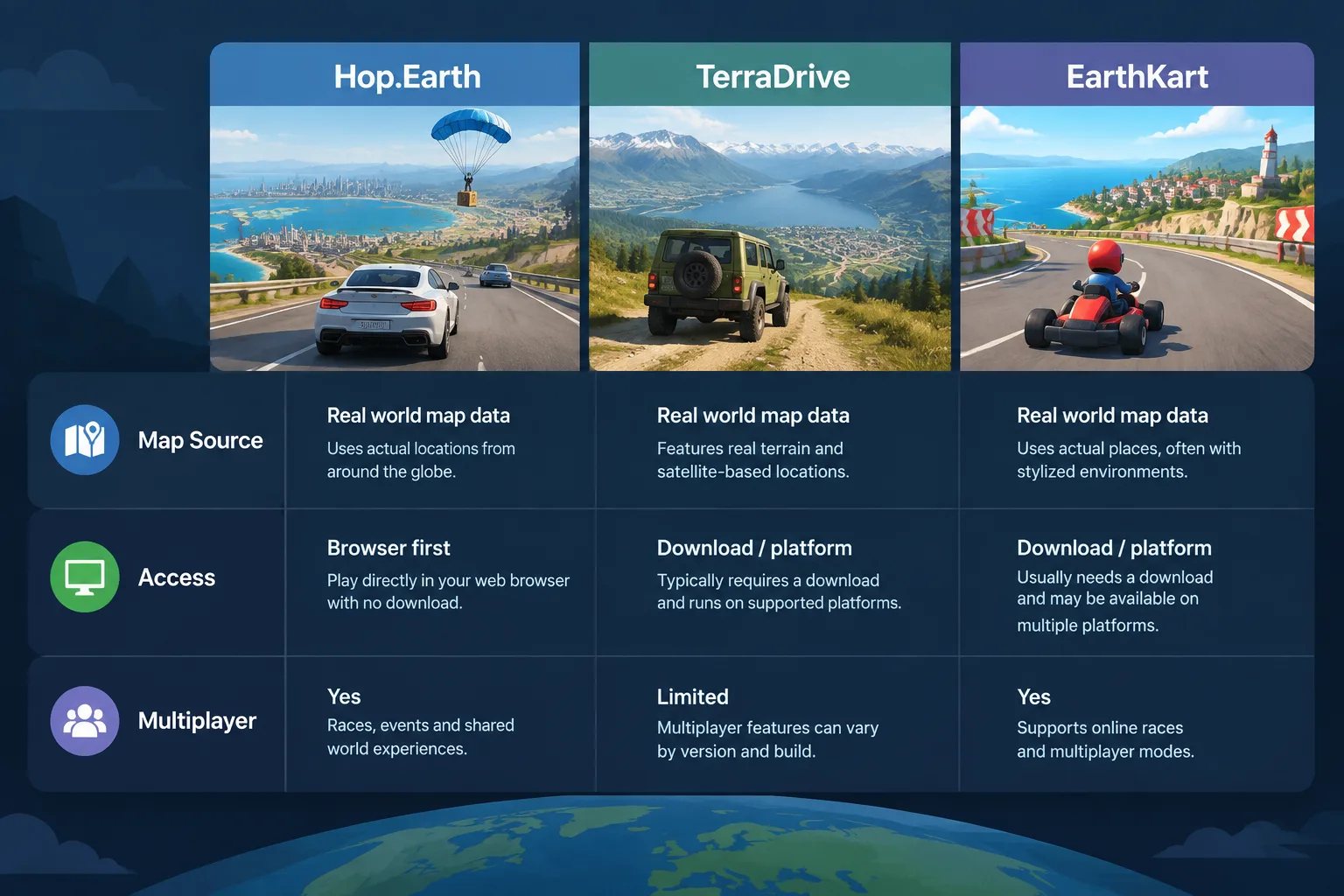
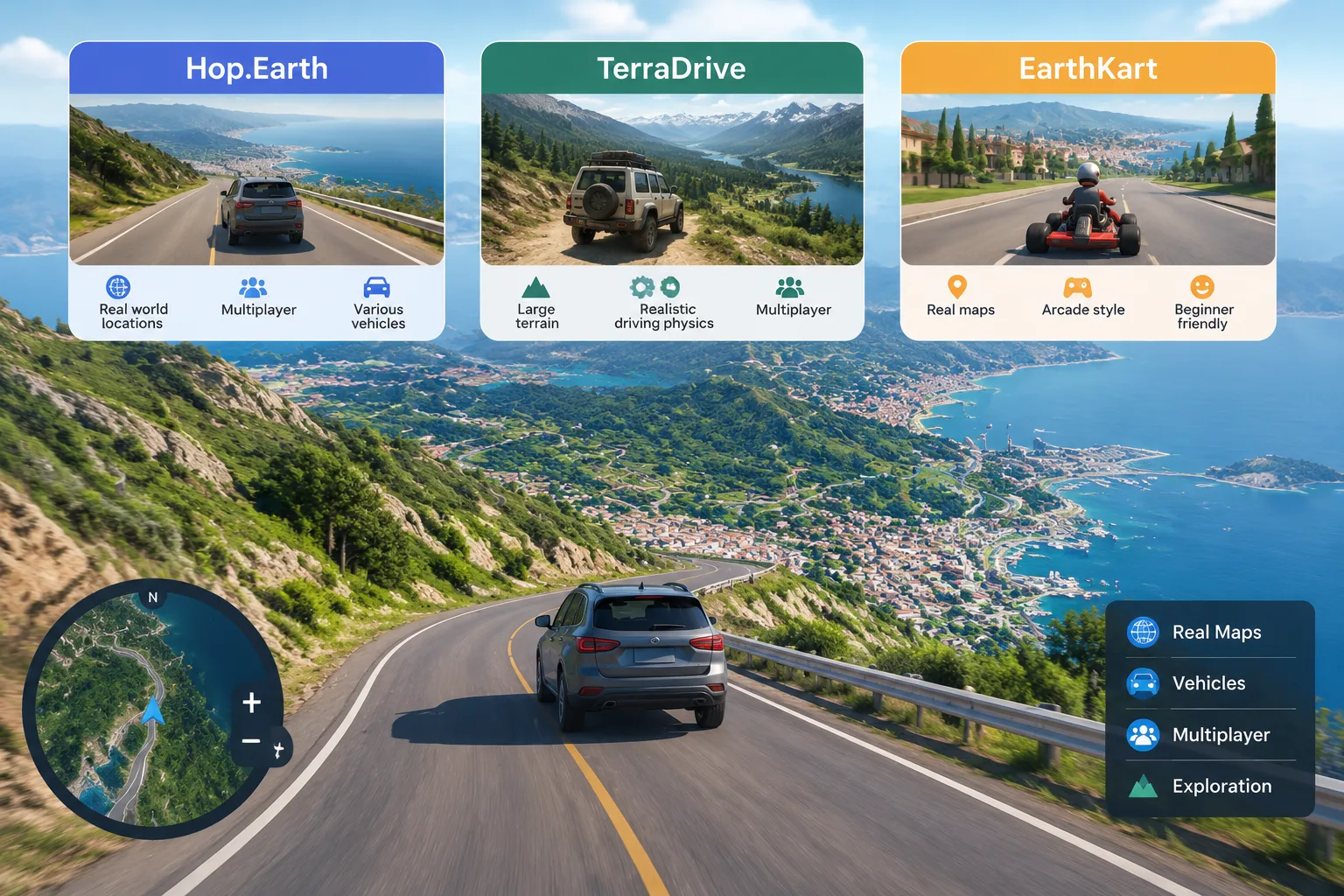
What Hop.Earth, TerraDrive, and EarthKart actually are
Hop.Earth
Hop.Earth is a browser game that turns real-world map data into a drivable world. The public-facing pitch is simple: pick a spawn point, parachute in, summon a car, and drive. The Hop Earth Wiki documents core mechanics such as parachute drop and spawn selection, car summoning and handling, multiplayer races, Season Zero, and mobile browser play. Because it runs in a browser, the barrier to entry is low: you usually do not need a large download before you know whether the concept clicks.
TerraDrive
TerraDrive is often discussed as a real-map driving alternative. Based on public store and community descriptions, it tends to emphasize driving on realistic roads or terrain, but the exact map coverage, platform requirements, and multiplayer options can vary by build, region, and release channel. That is not a flaw unique to TerraDrive; it is a common issue with smaller or region-specific driving projects. Before you judge it against Hop.Earth, check whether the current version supports your country, your device, and the kind of roads you want to drive.
EarthKart
EarthKart is another name that players compare with Hop.Earth and TerraDrive. It may appear as a browser experience, a download, or a platform-specific game depending on where you find it. The important point is that EarthKart should not be treated as a perfect clone of either game. Compare the current official build: does it stream real map data, does it support multiplayer, and does it run on the device you actually own?
Comparison criteria that actually matter
| Criterion | Hop.Earth | TerraDrive | EarthKart |
|---|---|---|---|
| Core promise | Browser-first driving on real-world map data | Real-map or realistic driving alternative | Real-map driving comparison title |
| Map source | OpenStreetMap plus satellite elevation, per Hop Earth Wiki | Check official build; map source may vary | Check official build; map source may vary |
| Access | Browser and mobile browser | Platform and download requirements vary | Platform and download requirements vary |
| Multiplayer | Documented races and Season Zero context | Verify current multiplayer support | Verify current multiplayer support |
| Best for | Instant browser sessions and quick exploration | Players who prefer a specific platform or style | Players comparing multiple real-map options |
A table like this is more useful than a simple score because it lets you weigh what you personally need. If you want to play in five minutes, access may matter more than map fidelity. If you want to race friends, multiplayer support matters more than vehicle variety. If you care about driving your own neighborhood, map data and coverage become the deciding factors.
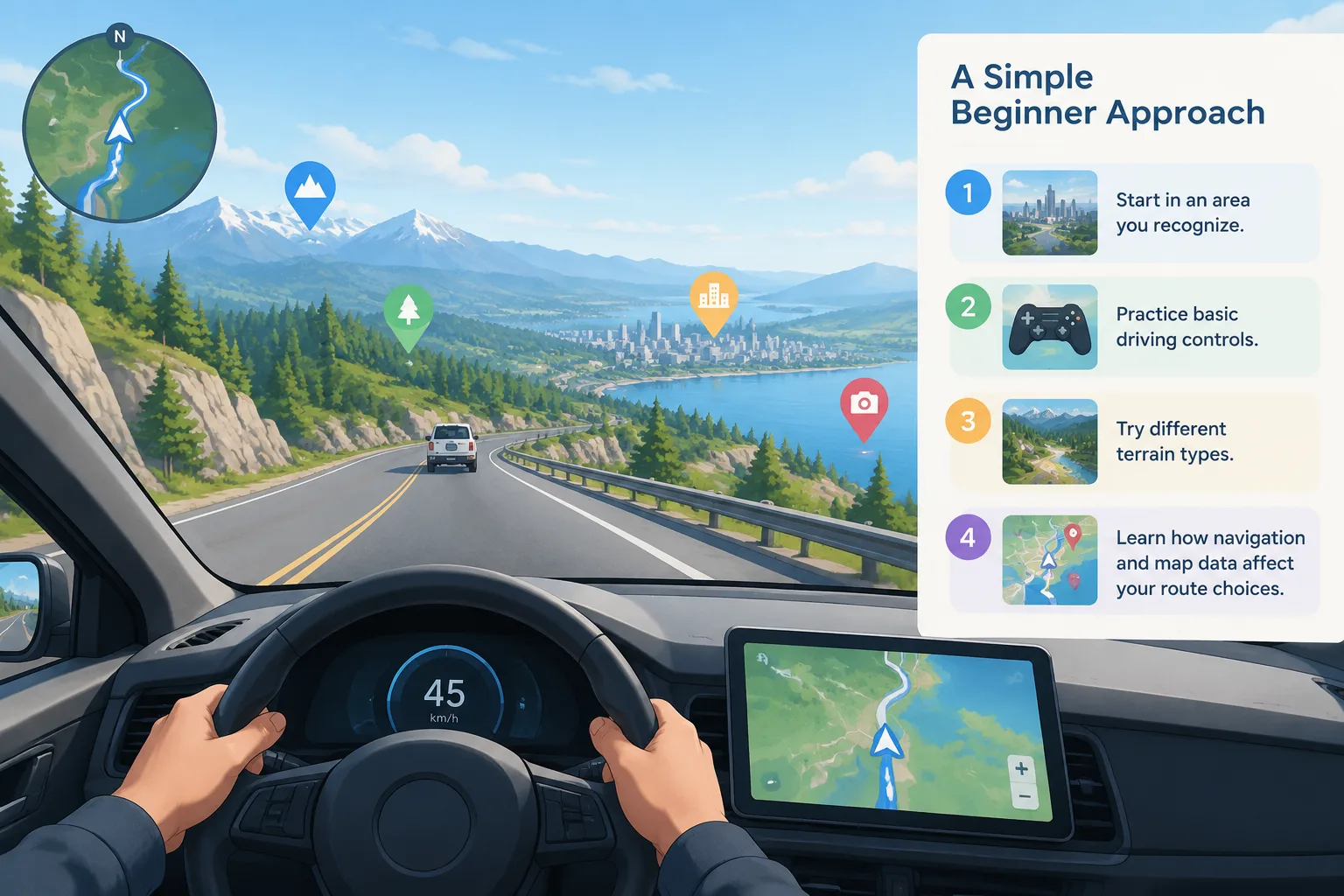
Real-map data: what to check before you commit
Real-map driving games live or die by their map data. Hop.Earth is documented as using OpenStreetMap plus satellite elevation, which is a common combination for projects that need road geometry, place names, and terrain shape without building a fictional world from scratch. OpenStreetMap is open data, but it is not equally detailed everywhere. Dense cities often have strong road coverage; rural areas, private roads, and newly built neighborhoods may be thinner.
When you test TerraDrive or EarthKart, do not just load the first spawn. Try three locations: a major city you know well, a smaller town, and a rural road. Check whether bridges, roundabouts, and elevation changes look believable. If a game uses a different map provider, the same city can feel completely different. For a deeper look at Hop.Earth's map-driven world, start with the basics guide.
Controls, handling, and driving feel
Hop.Earth's loop begins with a parachute drop and spawn selection, then moves into car summoning and driving. That means your first few minutes are about positioning and choosing a vehicle, not just steering. The driving guide covers handling notes and practical tips, but the general rule is universal: slower inputs usually beat constant corrections, especially on narrow roads or slopes.
TerraDrive and EarthKart may use different control schemes. Some real-map driving games use keyboard and mouse, others use touch controls, and some support gamepads. Before comparing handling, confirm that you are using the intended input method. A game that feels stiff on a laptop touchpad may feel fine with a controller. A browser game that feels floaty on a phone may feel sharper on desktop. Test the same route in each game, ideally a route with a mix of straights, turns, and elevation.
Multiplayer, racing, and Season Zero
Hop.Earth's multiplayer side is one of the main reasons players look for alternatives. The multiplayer guide explains races, lobbies, and Season Zero context. Multiplayer changes the comparison because a game can be a great solo explorer but a poor racing platform. Check lobby availability, race formats, and whether progress is shared between solo and competitive modes.
For TerraDrive and EarthKart, verify multiplayer in the current build rather than relying on old videos. Multiplayer features are often added, removed, or limited by region. If racing is your priority, test at the same time of day you normally play. An empty lobby at 3 p.m. may be busy at 8 p.m., and a game with no matchmaking may still work well for private sessions with friends.
Platform and access: browser, mobile, and downloads
Hop.Earth's biggest practical advantage is browser access. You can open a session without committing to a large install, and mobile browser play is part of the documented feature set. That matters if you play on a school laptop, a work machine, or a phone during a commute. Browser games also have constraints: performance depends on your connection, browser, and device heat.
TerraDrive and EarthKart may require a download, an app store listing, or a platform account. That is not automatically worse. A native build can offer better performance and controller support. The right choice depends on where you play. If you want zero friction, browser-first wins. If you want stable frame rates on a gaming PC, a native build may win. Use the games like Hop.Earth page to see alternatives by access type.
Which game fits which player?
Choose Hop.Earth if you want instant browser play
Hop.Earth fits players who want to parachute in, summon a car, and drive without managing a large download. It also fits players who enjoy the specific drop-and-spawn loop, mobile browser sessions, and the Season Zero style of progression. Start with the basics guide if you are new.
Choose TerraDrive if the official build supports your platform and region
TerraDrive may be the better fit if its current build runs natively on your preferred device, supports your region, and offers the map coverage you care about. Verify these three points before comparing handling or graphics. If the game does not support your area or device, the comparison ends there.
Choose EarthKart if it matches your preferred control style and multiplayer needs
EarthKart may appeal if you prefer its control scheme, community, or platform. Again, test the current build. A game with a smaller map but better multiplayer may be more fun than a larger map with no one to race.
How to test all three in 30 minutes
- Pick one real location you know well. Use the same city or neighborhood for every game.
- Play each game for 10 minutes. Spend the first two minutes on setup and controls, then drive the same route.
- Note three things: frame rate, input delay, and map accuracy.
- Try one multiplayer action if available. Join a race, host a lobby, or check whether other players appear.
- Check mobile or browser access if that matters to you. A game that runs poorly on your phone is not a mobile option.
- Read the relevant wiki section before you decide. The driving guide and multiplayer guide explain Hop.Earth-specific mechanics that may not apply to the other games.
Common pitfalls when comparing real-map driving games
- Comparing a browser game on a laptop to a native game on a gaming PC.
- Judging map coverage from one city. Try at least three locations.
- Assuming multiplayer is active because it exists in a menu.
- Treating old videos as current facts. Builds change.
- Ignoring input method. Keyboard, touch, and controller can change the entire feel.
- Expecting every game to use the same map data. OpenStreetMap, satellite elevation, and proprietary map sources produce different worlds.
FAQ
Is Hop.Earth the same as TerraDrive?
No. Hop.Earth and TerraDrive are separate games. Hop.Earth is documented as a browser-first real-map driving game with parachute drops and car summoning. TerraDrive is a different title with its own platform requirements and feature set. Treat them as alternatives to compare, not as the same product.
Which is better for mobile, Hop.Earth or EarthKart?
Hop.Earth is documented as supporting mobile browser play, so it is often the easier starting point if you want to play without installing an app. EarthKart's mobile support depends on its current build and store listing. Test both on your own phone, because browser performance varies by device and connection.
Do these games use real satellite imagery?
Hop.Earth is documented as using OpenStreetMap data plus satellite elevation, which is not the same as live satellite imagery. Elevation helps create terrain shape, while map data provides roads and labels. TerraDrive and EarthKart may use different sources. Check each official page for current map attribution.
Can I play Hop.Earth vs TerraDrive offline?
Hop.Earth is a browser game, so it generally expects an internet connection to stream map data and support multiplayer. TerraDrive or EarthKart may offer offline modes depending on the build. Do not assume offline support unless the official page states it clearly.
Which real-map driving game has the best multiplayer?
The honest answer is: the one with active players in your region at the time you play. Hop.Earth has documented multiplayer races and Season Zero context, which you can read about in the multiplayer guide. For TerraDrive and EarthKart, verify lobby activity in the current build instead of relying on old reviews.
Next steps
If you want to try the browser-first option, open the official Hop.Earth site at hop.earth. If you want to compare alternatives first, browse the games like Hop.Earth page, then read the basics guide and driving guide so you can judge other real-map driving games against a clear baseline. Features change, so check the latest official pages before you commit your time.