
hop earth controls
Hop.Earth Controls: Keyboard, Summoning Your Car, and Mobile Touch
Learn Hop.Earth controls with this fan-made wiki guide covering keyboard driving, car summoning, mobile touch controls, multiplayer basics, and troubleshooting tips.
Hop.Earth Controls: Keyboard, Summoning Your Car, and Mobile Touch
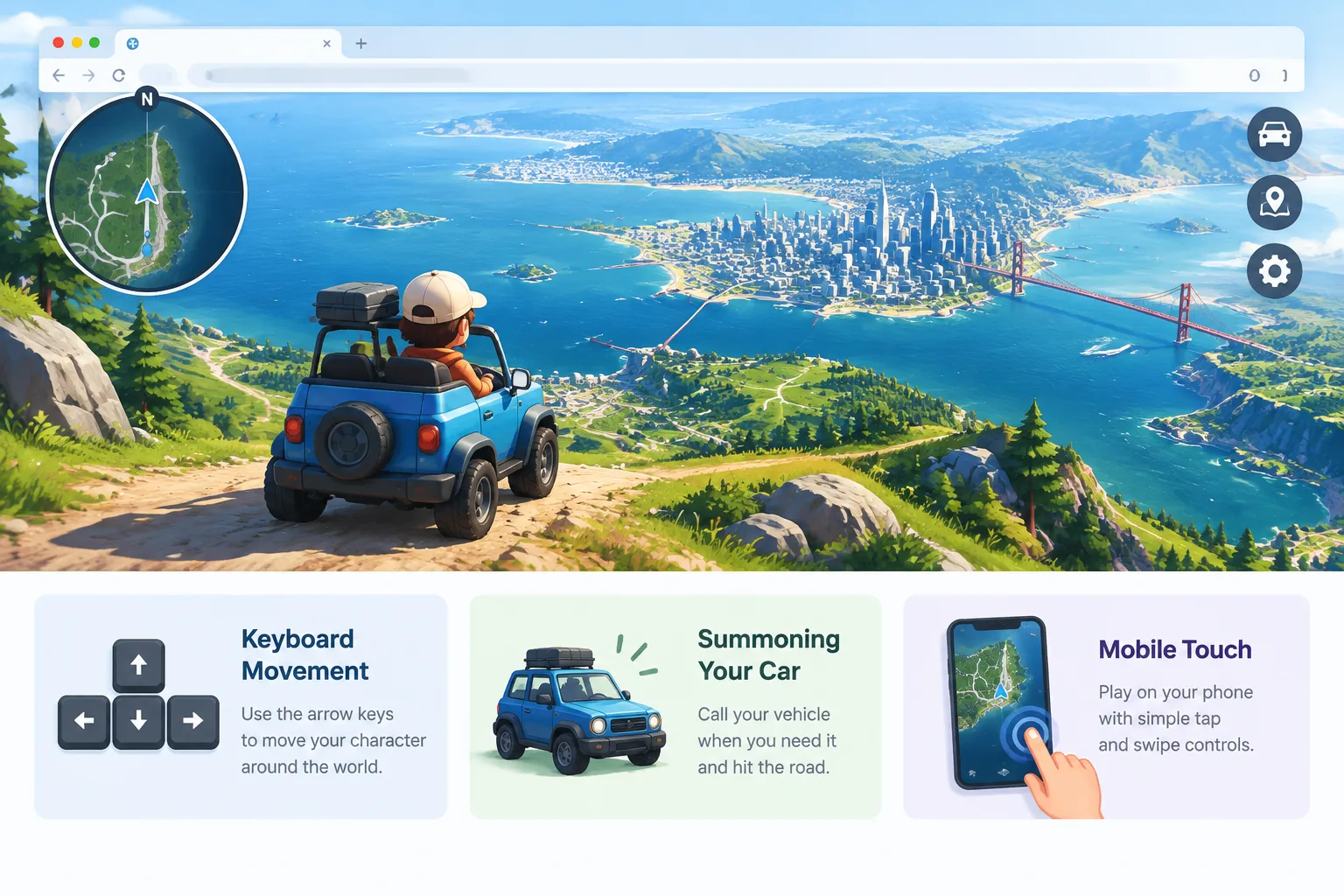
Verified on September 13, 2026. This fan-made Hop Earth Wiki guide explains the known control concepts for Hop.Earth, including keyboard movement, vehicle interaction, car summoning, and mobile browser play. Hop.Earth is a browser game built around exploring a digital version of Earth using real-world map information. Controls can vary as the game develops, so players should also check the official game experience for the latest interface changes.
For a broader introduction to the game world, see the Hop.Earth basics guide. If you are looking for driving-focused information, visit the Hop.Earth driving section.
What are the basic Hop.Earth controls?
Hop.Earth controls are designed around exploring the world, moving your character, and interacting with vehicles. The exact layout may depend on the device and current game version, but players generally use keyboard input on desktop browsers and touch controls on mobile devices to navigate and drive.
The most important controls to understand are movement, camera handling, vehicle interaction, and choosing where to explore. Learning these basics makes it easier to travel through real-world locations recreated inside the game.
Keyboard controls on desktop
Desktop players typically rely on a keyboard and mouse setup. Movement keys allow navigation, while the mouse is commonly used for looking around or controlling the view. Because browser games can change their input systems over time, players should confirm the current key bindings in the game interface when available.
Common control categories include:
| Action | Control type | Purpose |
|---|---|---|
| Character movement | Keyboard input | Walk or move around the environment |
| Camera movement | Mouse or view controls | Look around the world |
| Vehicle driving | Keyboard input | Accelerate, steer, and control movement |
| Interaction | Context-sensitive controls | Use nearby objects or vehicles |
These categories are more useful than memorizing individual keys because updates can change specific bindings while keeping the overall control structure the same.
How do Hop.Earth keyboard controls work for driving?
Hop.Earth keyboard controls for driving focus on basic vehicle movement: steering, acceleration, and managing your direction. Players should practice in open areas before attempting long routes because terrain, map details, and vehicle behavior can affect how the car feels.
Driving in a world based on real locations creates a different experience from traditional racing games. Roads, landscapes, and elevation changes can influence your route choice, making careful navigation important.
Practical driving tips for keyboard players
New drivers can improve their experience by following a few simple habits:
- Start with short trips instead of immediately attempting long-distance exploration.
- Use gentle steering inputs when learning vehicle handling.
- Pay attention to the environment before increasing speed.
- Practice controlling the camera while moving.
- Explore different terrain types to understand how routes change.
For more route planning and vehicle advice, the driving wiki section collects related gameplay information.
How do you summon your car in Hop.Earth?
The Hop.Earth car summon feature allows players to bring their vehicle into the game world when the feature is available in their current version. The exact button placement or interaction method may change, so players should look for the vehicle controls provided by the game interface.
A car summon option is useful because it reduces the need to search for a vehicle manually. It supports exploration by letting players focus on choosing destinations and discovering locations.
Hop.Earth car summon tips
If you are trying to use the car summon feature, consider these general troubleshooting steps:
- Confirm that the game has fully loaded before attempting vehicle actions.
- Check whether you are in an area where vehicle interaction is supported.
- Make sure your browser has completed loading map and game elements.
- Refresh the page if controls appear unresponsive after loading.
- Check for updates if a feature behaves differently than expected.
The wiki does not publish unofficial codes or unlock methods because Hop.Earth does not use a redeem-code system.
How do Hop.Earth mobile controls work?
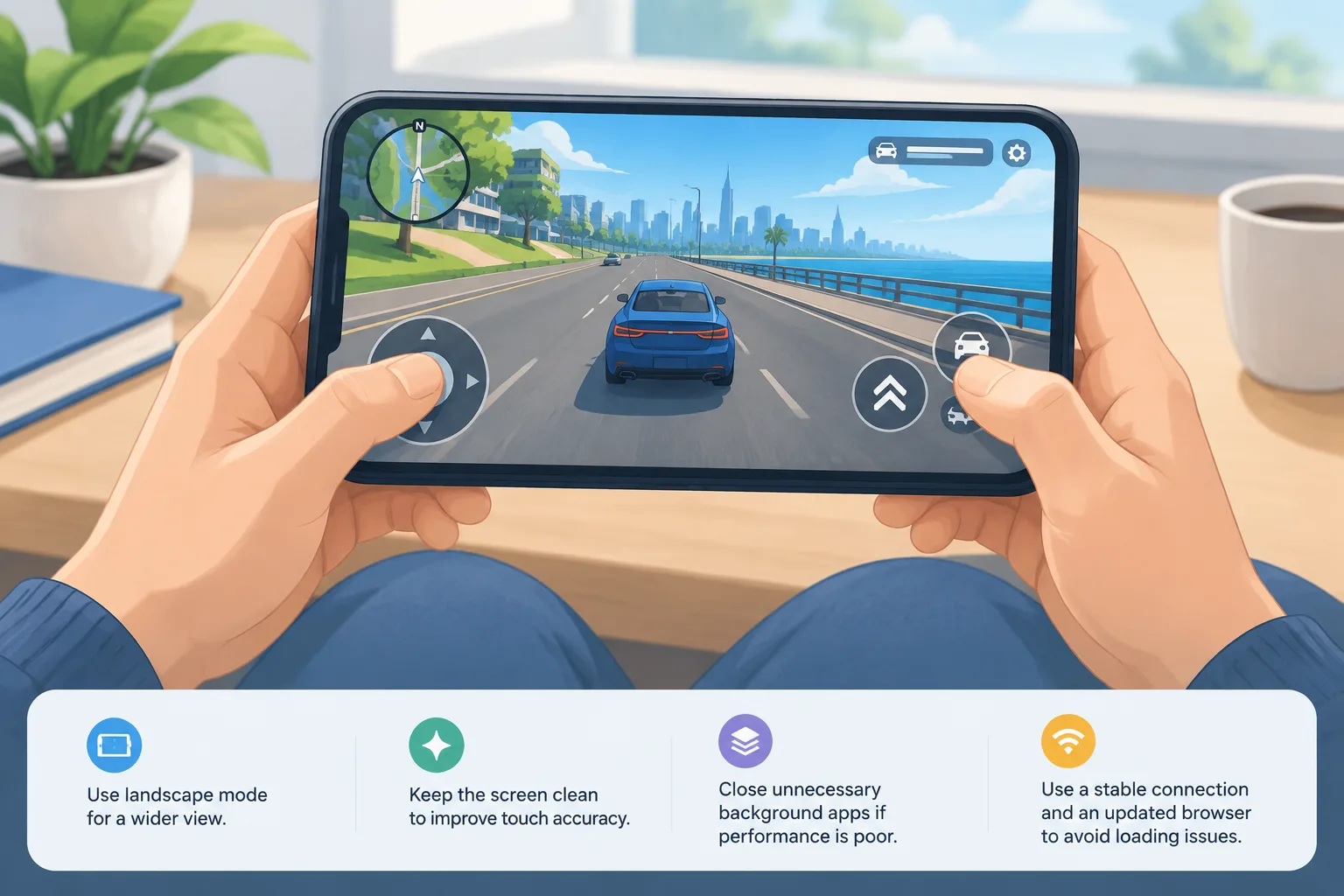
Hop.Earth mobile controls are designed for browser play on touchscreen devices. Mobile players usually interact through touch gestures and on-screen controls rather than a physical keyboard.
The mobile experience depends on the device, browser, screen size, and performance settings. A stable connection and an updated browser can help reduce problems when loading a large interactive world.
Tips for playing Hop.Earth on mobile
Mobile players can improve control comfort by adjusting how they hold and view the device:
- Use landscape mode when the game layout benefits from a wider view.
- Keep the screen clean to improve touch accuracy.
- Close unnecessary background apps if performance is poor.
- Use a reliable internet connection when loading map-heavy areas.
- Allow the game time to load before moving around.
For more information about related gameplay topics, explore the Hop.Earth multiplayer guide and other wiki categories.
Why are my Hop.Earth controls not working?
When Hop.Earth controls stop responding, the most common causes are loading issues, browser compatibility problems, connection interruptions, or temporary game-side changes. Players should check basic technical conditions before assuming the controls themselves are broken.
Hop.Earth not working troubleshooting checklist
Try these solutions in order:
- Refresh the browser page and allow the game to load completely.
- Check that your browser is updated.
- Disable extensions that may interfere with browser games.
- Test another browser if the problem continues.
- Check your internet connection stability.
- Try another device to determine whether the issue is device-specific.
If a control problem appears after a game update, the best source for confirmation is the official Hop.Earth website or announcements from the developer.
What are the best Hop.Earth driving habits for new players?
The best driving habits in Hop.Earth come from treating the world as an exploration environment rather than only a speed challenge. Since the game connects gameplay with real-world geography, careful navigation can be more rewarding than simply moving as fast as possible.
Explore before attempting advanced routes
New players should first learn how the map, vehicles, and camera systems work. Short exploration sessions help build familiarity with movement and reduce frustration when entering unfamiliar locations.
Combine navigation skills with exploration
A good route involves more than reaching a destination. Players can experiment with different paths, discover interesting locations, and learn how the environment changes across regions.
To explore related experiences and similar games, visit the games like Hop.Earth section.
How does Hop.Earth use real-world map information?
Hop.Earth is known for creating an explorable Earth-based environment using real-world geographic information. Technologies and datasets such as map data and elevation information help create a world that connects gameplay with real locations.
Because these systems depend on external data sources and game development choices, the appearance and accuracy of locations can change over time. Players should view the game world as an interactive representation rather than a perfect replacement for real maps.
FAQ: Hop.Earth controls
Can I play Hop.Earth without a keyboard?
Yes, Hop.Earth can be played through a mobile browser using touchscreen controls when mobile support is available. The experience may differ depending on device performance and browser compatibility.
Does Hop.Earth have official control settings?
Control options can change as the game develops. Players should check the current game interface for the latest available settings and input options.
How do I learn Hop.Earth driving faster?
Start with simple routes, practice basic steering, and spend time learning how the vehicle responds. Short practice sessions are usually more effective than immediately attempting difficult journeys.
Is there a Hop.Earth controls cheat code or redeem code?
No. This wiki does not publish redeem-code pages because Hop.Earth does not have a codes mechanism.
Where can I find more Hop.Earth guides?
Browse the wiki categories for basics, driving, multiplayer, and related games. The Hop Earth Wiki homepage provides access to more community-created guides.
Start exploring Hop.Earth
Understanding the controls is the first step toward enjoying Hop.Earth. Whether you are driving across familiar places, testing mobile controls, or joining multiplayer experiences, learning the basics helps you spend less time troubleshooting and more time exploring.
For more player-focused guides, continue exploring the Hop Earth Wiki and check the official Hop.Earth experience for the latest game updates.