
hop earth download
Hop Earth Download: Browser Play vs. Installing Anything
A verified fan wiki answer to hop earth download questions: browser play vs. installing, safety warnings, mobile play, and troubleshooting links.
Hop Earth Download: Browser Play vs. Installing Anything
Last verified: 2026-09-21. This page treats Hop.Earth as browser-first and does not claim an official native installer unless the official site visibly provides one.
If you searched for hop earth download, the short answer is: Hop.Earth is designed to run in a modern browser, and the official entry point is the web game at hop.earth. At the last verification date, 2026-09-21, no official native installer or app package is visibly offered on the official site. Treat unofficial downloads as unsafe. This page covers verified facts, browser setup, and what to do if something fails.
What does hop earth download mean for Hop.Earth?
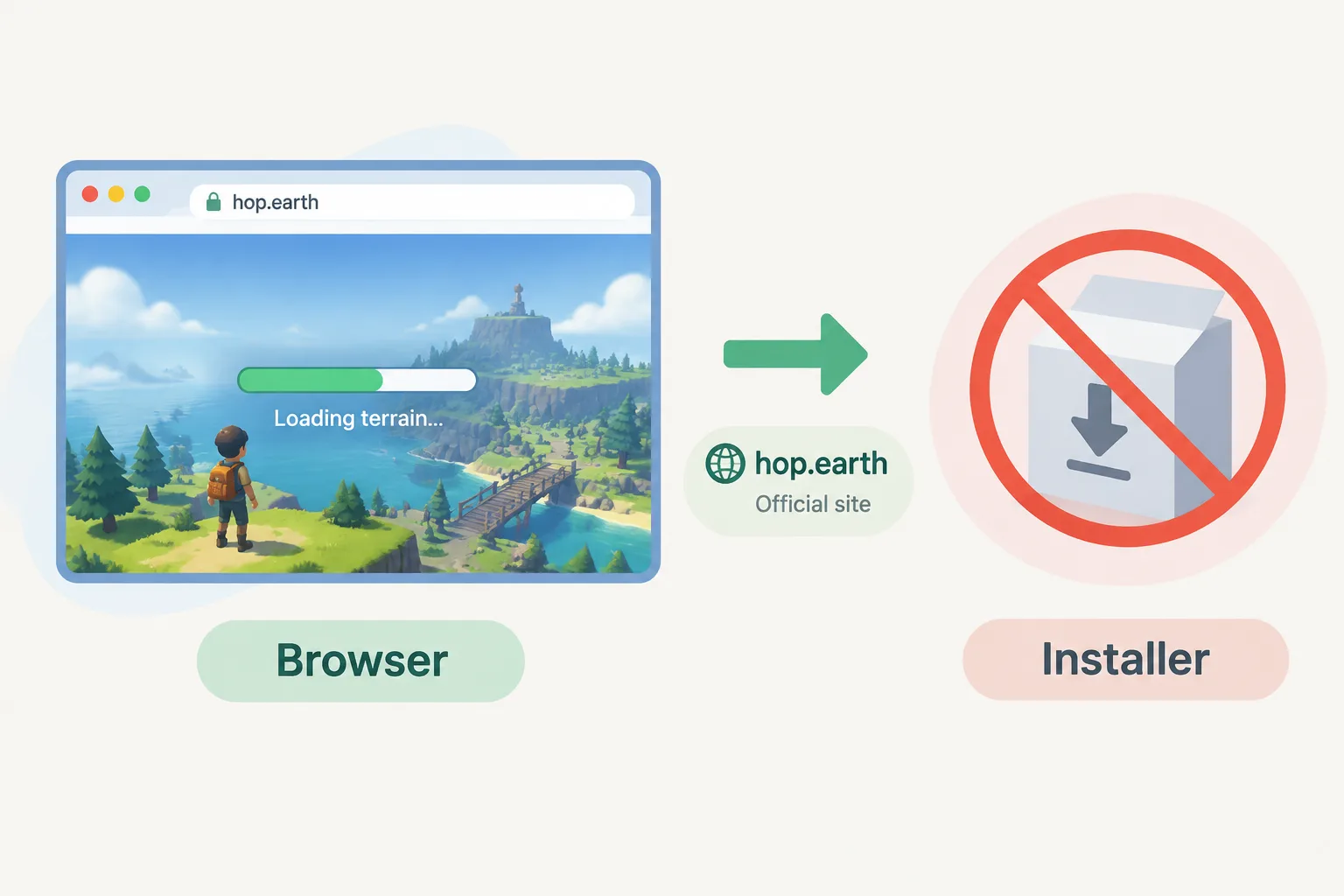
The phrase hop earth download usually means a player wants an installer, app, or offline copy. For Hop.Earth, the verified entry path is browser play: the game streams map data and terrain, so the core experience does not require a separate download. The official Hop.Earth link explains the supported entry point.
Is Hop.Earth a browser game or an installed game?
Hop.Earth is a browser game. The official project presents real-world map data and satellite elevation as a drivable Earth inside the browser, so you enter through a web page rather than an app store listing. The game relies on a live connection and a WebGL-capable browser. No official app package is claimed here. See Basics for entry details.
Browser play vs. installing anything: what are the real differences?
| Question | Browser play | Unofficial installer |
|---|---|---|
| Access | Open official site; no install | Requires third-party file; not endorsed |
| Updates | Uses current web build | Unknown update path |
| Safety | Same risk profile as normal web games | Higher risk of malware, bundles, or phishing |
| Storage | Minimal local cache | Depends on unknown package |
| Account | No separate app account required | Unknown creator access |
This table separates verified browser behavior from unverified installer claims. If you see a site offering a Hop.Earth download, treat it as community-made unless it is linked from the official site. For safety checks, read is Hop.Earth safe.
How do you start playing Hop.Earth without a download?
- Open hop.earth or start from our official Hop.Earth link notes.
- Use a current version of Chrome, Edge, Firefox, or Safari.
- Enable WebGL or hardware acceleration if the terrain fails to render.
- Wait for map tiles to load, then choose a parachute drop.
- Use Driving for controls and handling, and Multiplayer for races and Season Zero.
No installer is required for this path. If the page stalls, do not jump to an unknown download; troubleshoot the browser first.
Why do players still search for download hop earth?
Players search for download hop earth because browser games can look like apps, mobile browsers can be awkward, or they want offline play. Hop.Earth does not present an official offline desktop client at the verification date. If the browser version fails, use Hop.Earth not working before trying unverified files.
Is it safe to install third-party Hop.Earth downloads?
No. A third-party Hop.Earth download is not an official release and may bundle unwanted software, request unnecessary permissions, or imitate the game to collect data. The safest path is browser play through the official site. For more detail, see is Hop.Earth safe. Never install files from unknown launchers.
What should you do if the browser game is not working?
If Hop.Earth will not load or drive, start with browser troubleshooting: update the browser, enable hardware acceleration, disable conflicting extensions, test another network, and check whether WebGL is supported. The dedicated Hop.Earth not working guide covers symptoms and fixes without a download.
Can you download Hop.Earth on mobile?
There is no official mobile app download described on the official entry point as of 2026-09-21. Mobile players should use a modern mobile browser in landscape, close background apps, and keep a stable connection. If touch controls feel limited, desktop browser play remains the most consistent option. See Multiplayer for session behavior.
Hop Earth browser game: verified mechanics vs. community claims
| Topic | Status |
|---|---|
| Official entry through browser at hop.earth | Verified by official site |
| Real-world map data and elevation streaming | Described by official project and wiki docs |
| Native desktop installer from official source | Not visibly offered at last check |
| Third-party download sites | Unverified; avoid |
| Offline mode as an official feature | Not verified |
Keep the distinction clear. Verified facts belong in this section; community strategies should be labeled unverified. For route and driving tactics, use Driving. For similar browser games, see Games like Hop.Earth.
FAQ
Is there a hop earth download for PC or mobile?
As of the last verification date, 2026-09-21, Hop.Earth is presented as a browser-first game, not an official downloadable app. You can play on PC or mobile through a modern browser. Avoid third-party installers that claim to be official. Start with the official Hop.Earth link.
Is Hop.Earth a download or a browser game?
It is a browser game. The core game runs from a web page and streams map and terrain data, so a separate download is not required for normal play. If a site insists you must install a file first, treat that site as unverified and check is Hop.Earth safe.
Can I play Hop.Earth offline?
No official offline mode is verified at this time. Hop.Earth depends on streaming real-world map data, so an active connection matters. Browser caching may help repeated loads, but it is not the same as an offline client. If loading fails, use Hop.Earth not working.
Why does my browser ask to download something when I open Hop.Earth?
A browser may download cache, WebGL shaders, or map assets as part of normal loading, but that is not a game installer. If you are prompted to run an .exe, .dmg, or .apk from a non-official page, close it. Check the official Hop.Earth link and is Hop.Earth safe.
Does Hop.Earth have an official app store version?
No official app store version is visible from the official entry point at the last verification date. Use the browser version on mobile. Any app store listing using the name should be checked carefully because fan projects and clones are common. See Basics for the supported entry path.
What is the safest way to try Hop.Earth?
Open the official browser game at hop.earth, use a current browser, and avoid files from unknown launchers. If you need controls, read Driving; for online races, read Multiplayer; for similar games, browse Games like Hop.Earth. That covers the main path without an unofficial download.
Next steps and official CTA
If your goal is to play rather than install, go straight to the official Hop.Earth browser game. Use our Basics hub for entry questions, Driving for handling, Multiplayer for races, and Games like Hop.Earth if you want alternatives. Bookmark Hop.Earth not working in case the browser session fails.